
Blog Post
Why the Browser Is the New Perimeter for AI Security
August 3, 2026
The browser has become the primary interface through which employees access AI. ChatGPT, Gemini, Claude, Copilot, and thousands of specialized AI tools all run through web browsers, which means the browser is where corporate data enters AI systems, where sensitive prompts are submitted, where outputs are generated, and where the vast majority of shadow AI activity occurs. Traditional network security and endpoint detection were designed for a world where threats came from outside the perimeter. AI threats originate from inside it, through the browser tabs employees already have open.
Securing AI usage in the browser requires specialized infrastructure because traditional controls miss the data flows that matter most. URL filtering can block known AI domains, but it cannot inspect the content being pasted into an approved AI tool. Network monitoring can detect connections to AI endpoints, but it cannot determine whether the data being transmitted contains customer PII or proprietary source code. Firewall rules can restrict access to unauthorized services, but they cannot enforce granular policies about which data types employees can submit to which AI tools under which conditions.
According to a Google Cloud study, 59% of IT leaders identify GenAI application security as an important use case for secure browsing solutions. The question is no longer whether to secure AI in the browser. It is how to do it without blocking the productivity gains that AI delivers.
Why Traditional Security Controls Fail at the Browser Layer
The fundamental problem with applying traditional security controls to AI usage is that AI interactions are unstructured. An employee pasting a financial model into ChatGPT, uploading a contract to an AI summarization tool, or submitting customer feedback to an AI sentiment analysis service does not look like a conventional security event to network-level monitoring. The data moves through HTTPS connections to legitimate domains using standard web protocols, which means it passes through firewalls, proxies, and CASBs without triggering alerts.
Several specific gaps make traditional controls insufficient for browser-based AI security:
- URL filtering sees domains, not data. Blocking all AI domains is a blunt instrument that kills productivity. Allowing them passes the problem entirely. Neither approach addresses what data employees send to which AI tools and under what conditions.
- Network DLP operates on structured data patterns. Traditional DLP looks for credit card numbers, Social Security numbers, and other structured data signatures. It misses unstructured sensitive content like strategic plans, proprietary research, competitive intelligence, and internal communications that employees routinely paste into AI prompts.
- CASBs cover API and OAuth connections. CASBs are effective for AI tools that integrate through APIs and require authentication, but most browser-based AI usage does not involve an OAuth handshake. An employee typing a prompt into a web-based AI tool generates no API event for a CASB to inspect.
- Endpoint detection focuses on malicious behavior. EDR tools look for malware execution, lateral movement, and known attack patterns. An employee using an unauthorized AI tool through their browser is not exhibiting malicious behavior from the endpoint's perspective, even if they are creating significant data exposure.
The result is a security architecture that protects the network perimeter while leaving the browser, where the actual AI interactions happen, effectively ungoverned.
What Browser-Layer AI Security Must Cover
Effective browser-layer AI security operates at the point of interaction between the employee and the AI tool. It needs to cover four functions simultaneously.
Continuous AI Discovery
The platform must detect every AI tool employees access through the browser, whether those tools are sanctioned, shadowed, or embedded within existing platforms. Discovery should cover web-based AI services, AI-powered browser extensions,
AI features activated within SaaS platforms, and AI tools accessed through personal accounts that corporate network monitoring cannot see. This discovery data should feed directly into a continuously updated AI asset inventory that reflects what the organization is actually running rather than what was formally approved.
Data-Sensitive Enforcement
Rather than blanket bans that block AI usage entirely or blanket allowances that permit everything, browser-layer security should enforce granular policies based on data sensitivity. The platform should distinguish between an employee using an approved AI tool for non-sensitive work (which should be allowed) and the same employee attempting to paste customer PII into an unapproved service (which should be blocked). This requires inspection capabilities at the browser level that can classify data types in real time and apply policies at the point of input.
Kovrr's Browser Protect operates at this layer, providing data-sensitive enforcement across more than 15,000 AI applications. The platform uses deterministic pattern matching to classify interactions without transmitting sensitive content to the cloud. Only categorical usage signals reach the governance platform, which means the organization gains full visibility into AI usage patterns while maintaining employee privacy. This approach supports both managed device deployment through MDM and Chromium-based browser environments.
AI Session Isolation
Browser-layer security should separate AI interactions from the broader browsing environment. Enterprise browsers and browser security platforms achieve this through work/personal profile separation, sandboxed AI sessions, and clipboard controls that govern copy/paste operations between enterprise applications and AI tools. Session isolation prevents sensitive data from leaking across browser contexts and limits the blast radius when an AI tool is compromised.
Threat Detection for AI-Specific Attacks
The browser is also where AI-driven threats target employees. AI-generated phishing attacks that bypass traditional email filtering, indirect prompt injection attacks embedded in web content, and malicious AI browser extensions all operate at the browser layer. Browser-layer security should monitor for these threats and block them before they reach the employee.
Why Blanket Bans Do Not Work
Some organizations respond to AI risk by blocking all AI tools at the network level. This approach fails for three reasons:
Employees find workarounds. Blocking AI domains on the corporate network pushes employees to use personal devices, mobile hotspots, or VPN workarounds. The AI usage continues, but now it happens entirely outside the organization's visibility. The risk increases rather than decreasing because the organization loses whatever limited monitoring it previously had.
Embedded AI cannot be blocked without breaking workflows. AI features are now embedded in tools the organization relies on daily, including email clients, productivity suites, CRM platforms, and project management tools. Blocking AI at the network level breaks these workflows or requires increasingly complex allowlists that are difficult to maintain as vendors add new AI capabilities through routine updates.
Productivity losses create business pressure to reverse the policy. Organizations that implement blanket AI bans face internal pressure from teams that demonstrably lose productivity without AI tools. When the ban is inevitably loosened, the reversal often happens without adequate security controls in place because the security team was focused on blocking rather than governing.
The more effective approach is granular enforcement that allows AI usage under governed conditions rather than prohibiting it entirely.
Connecting Browser Security to Enterprise AI Governance
Browser-layer AI security generates detection data that is only valuable if it flows into the broader governance architecture. Discovering that employees are using 200 unsanctioned AI tools is useful information. Knowing that those tools create $4.2 million in annualized risk exposure, trigger compliance obligations under three regulatory frameworks, and include two high-risk tools processing regulated health data is actionable intelligence.
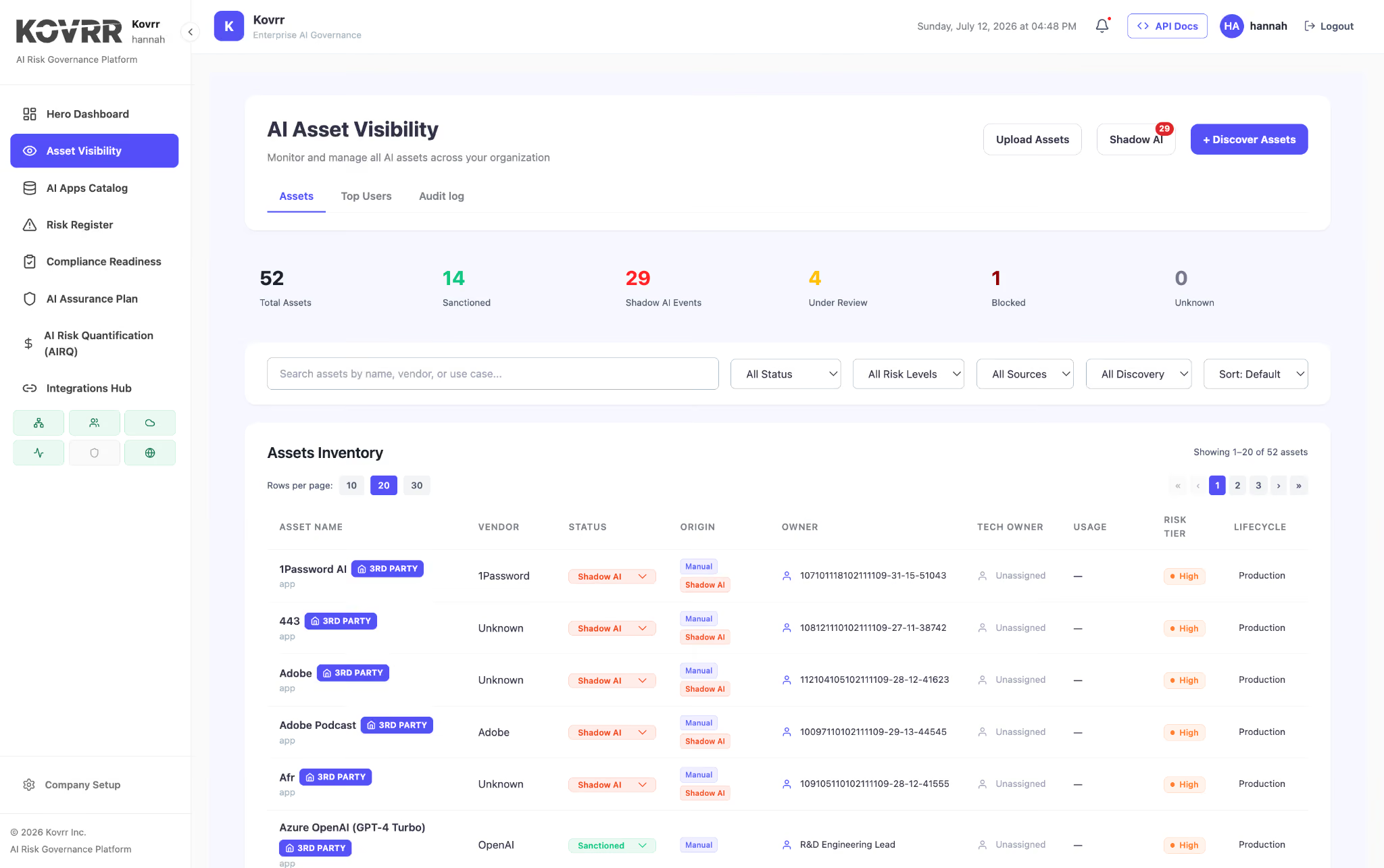
Kovrr's AI Security and Governance Platform connects browser-level detection to the full governance workflow. When the platform detects AI usage through the browser, it does not simply log the event. It feeds the data into the organization's AI asset inventory, updates the risk register with relevant scenarios, checks compliance against applicable frameworks through the compliance readiness module, and recalculates financial exposure through the risk quantification engine. That connected telemetry is what transforms browser-level detection from a security alert into a governance input.
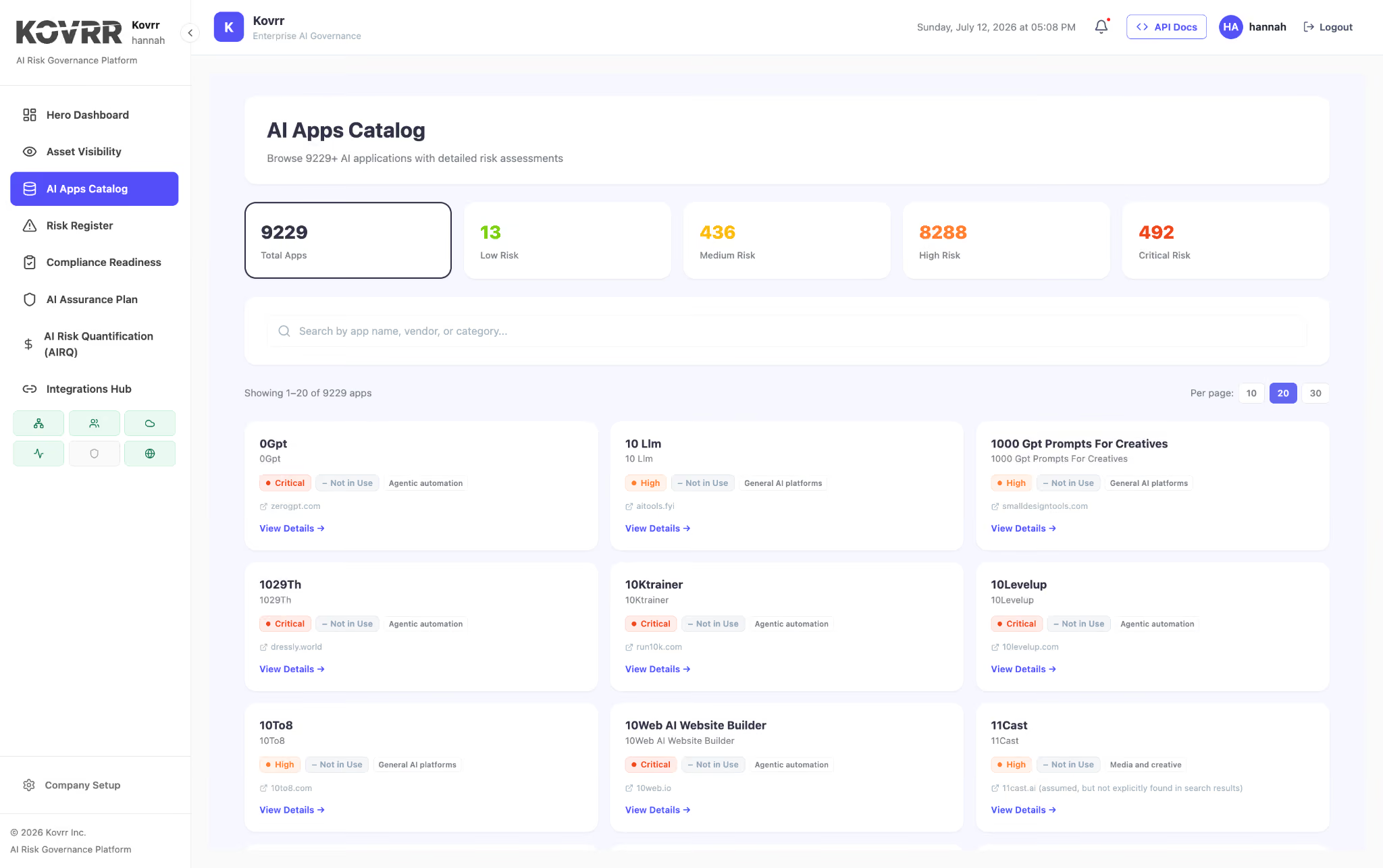
The AI apps catalog provides additional context by maintaining risk profiles for over 15,000 AI applications. When a new tool is discovered through browser telemetry, the catalog enriches the discovery with vendor risk data, data handling practices, and compliance posture, so the governance response is informed by pre-assessed intelligence rather than starting from scratch.
The Enterprise Browser Approach
Some organizations address browser-layer AI security through enterprise browsers that replace the standard browser with a purpose-built, IT-managed alternative. Enterprise browsers like Island and Mammoth Cyber provide built-in security controls including AI session isolation, clipboard governance, sensitive data masking in prompts, and centralized policy management.
The enterprise browser approach offers strong control within its perimeter but introduces adoption challenges. Replacing the browser employees use requires organizational change management, and employees who prefer their existing browser may resist. Enterprise browsers also only govern AI usage within the managed browser itself. AI tools accessed through other browsers, personal devices, or mobile applications remain outside the enterprise browser's visibility.
Organizations evaluating enterprise browsers should assess whether the deployment model fits their workforce, whether the browser covers all AI interaction surfaces (not just the managed browser), and whether the browser connects to the broader governance architecture or operates as a standalone control.
Browser Extensions vs. Enterprise Browsers
An alternative to replacing the browser is deploying browser-native security extensions that add AI governance capabilities to the browsers employees already use. This approach avoids the adoption friction of enterprise browsers while providing visibility and control at the browser layer.
Browser extensions can monitor AI tool access, inspect data flows, enforce DLP policies, and block unauthorized uploads without requiring employees to change their browsing behavior. The trade-off is that extensions operate within the constraints of the browser's extension API, which may limit certain capabilities compared to enterprise browsers that control the full browser stack.
For most organizations, the choice between enterprise browsers and browser extensions depends on the degree of control required versus the deployment friction acceptable. Organizations with strict security requirements and centralized IT management may favor enterprise browsers. Organizations that prioritize rapid deployment, employee experience, and broad coverage across diverse browser environments may favor extensions.
The Browser Perimeter Is Only as Valuable as What It Feeds Into
Browser-layer AI security is a detection and enforcement layer, not a governance program. The organizations that extract the most value from browser security are the ones that connect it to the governance workflows that turn detection data into risk reduction.
A browser extension that blocks an employee from uploading a sensitive document to an unauthorized AI tool has prevented one incident. A connected platform that logs the event, updates the asset inventory, recalculates organizational risk exposure, checks compliance implications, and surfaces the pattern in board-level reporting has improved the entire governance posture. The browser is the point of detection. The governance architecture is where the value compounds.
Schedule a demo to see how Kovrr connects browser-level AI detection to continuous asset visibility, risk assessment, and compliance readiness in a single platform.

AI Browser Security FAQs
Speak to an ExpertWhy is the browser the most important layer for AI security?

Should organizations block AI tools entirely or allow them with controls?
What is browser-layer DLP for AI, and how does it work?
What is the difference between enterprise browsers and browser security extensions?
How does browser-level AI detection connect to regulatory compliance?
Can browser security prevent AI-generated phishing attacks?