AI Usage Monitoring at the Point of Interaction
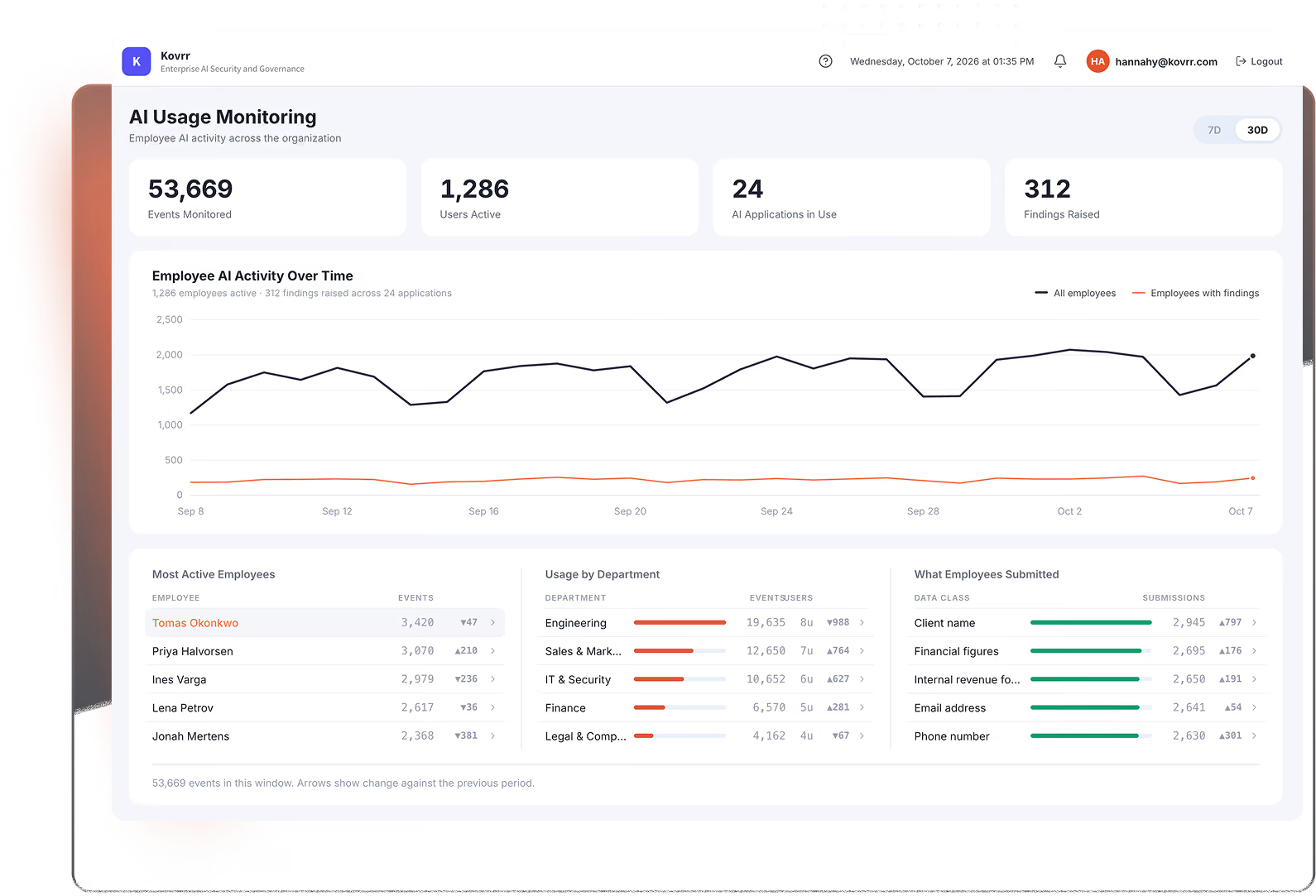
Most AI monitoring tools record a destination and a timestamp, which establishes that an employee reached an AI tool and nothing about what happened inside it. Kovrr's AI Security and Governance Platform resolves the account behind each session, the class of data submitted, and the action taken, covering the agents and MCP connections employees run alongside the tools they open.


AI Usage Monitoring That Sees Too Little or Too Much
Network and proxy logs record a domain and a timestamp, which establishes that someone reached an AI tool and nothing about the account or the data. AI monitoring tools that inspect content answer that by capturing the submission itself, which legal teams refuse to approve. AI usage monitoring that supports a policy decision draws on the whole AI Interaction Data Fabric, where network, identity, and browser telemetry together resolve the account, the destination, the data class, and the action taken.
Domain reached
Timestamp
Bytes transferred
Full prompt text
Full response text
Stored server-side

Account behind the session
Destination and vendor terms
Data class submitted
Action taken
How Kovrr Handles AI Usage Monitoring
Kovrr's AI Interaction Data Fabric records employee AI usage at the moment of submission. Every event carries the account, the destination, the data class, and the action taken, with risk analysis completing on the device.
Account-Level Attribution: Every session resolves to a named user and identifies whether the account is corporate or personal.
Data Class Without Content: 500+ validated categories identify what reached each tool, matched deterministically on the device.
Destination Risk at the Moment of Use: Each destination carries its risk score and vendor terms from a catalog of 15,000+ applications.
Agents and MCP Connections: Coding agents and MCP servers running under an employee's credentials surface as that employee's activity rather than as unattributed traffic.
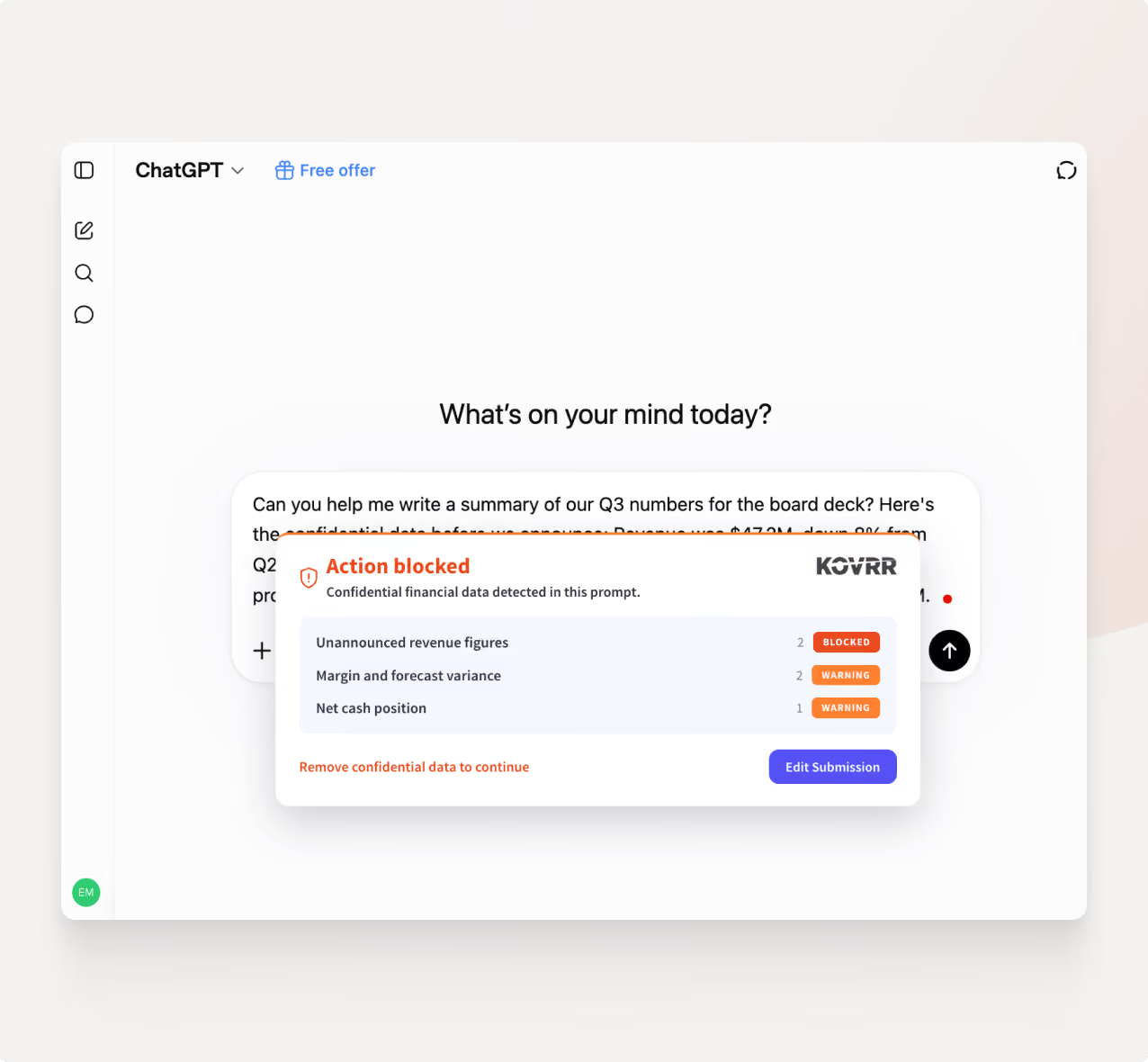
Findings Employees Can See: Flagged events appear to the employee, so a policy warning arrives as guidance rather than as an audit note.


Monitoring That Runs Inside the Browser
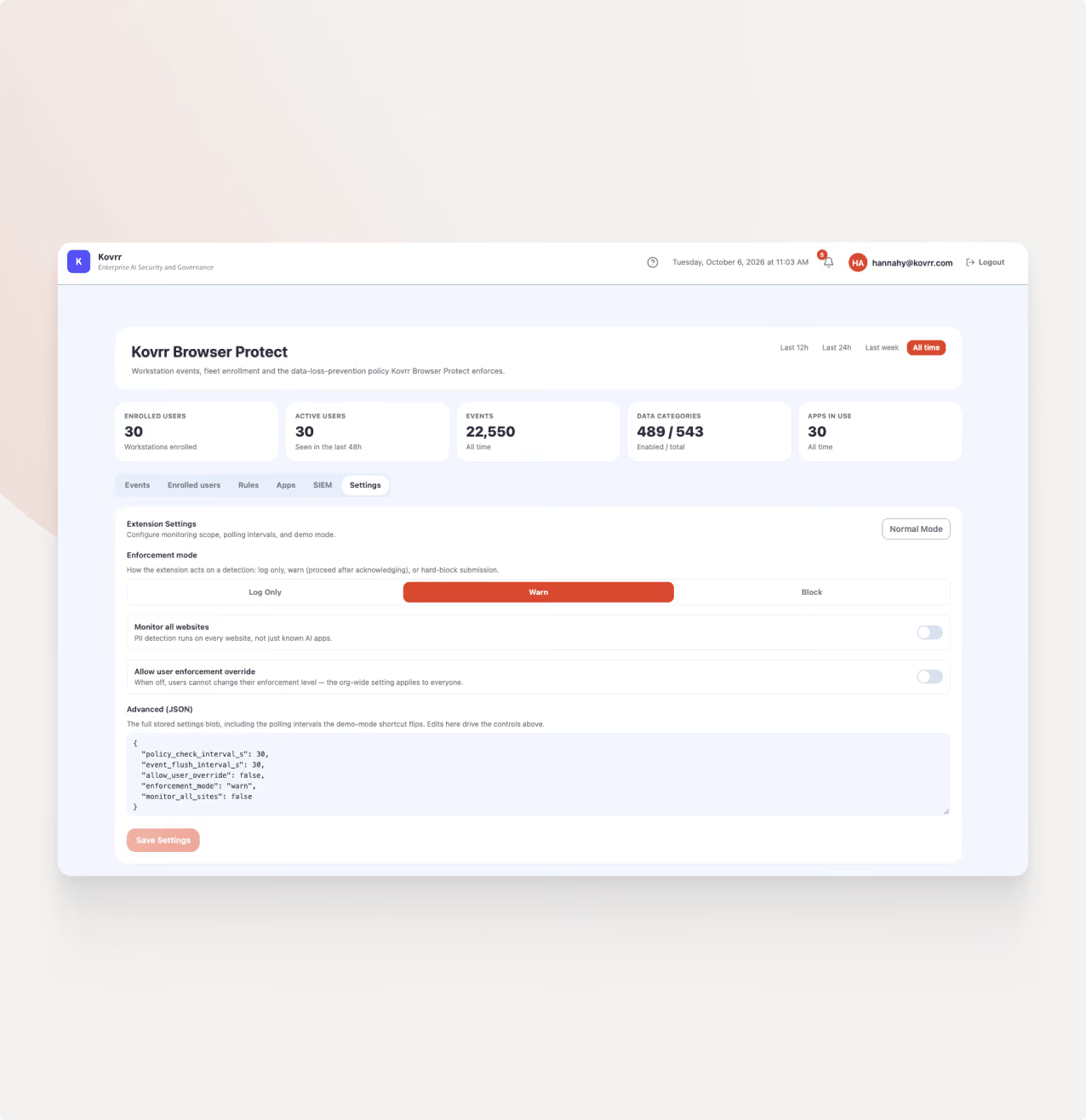
The AI security browser extension handles AI usage monitoring at the point of submission, with detection completing on the device and categorical findings reaching the platform. AI monitoring tools that inspect content work differently, sending the submission itself to a server for analysis.
The Value of AI Usage Monitoring
Governance Without Surveillance: Policy runs on the account, the destination, and the data class, so legal review has nothing to object to.
Usage Visible at the Session: Every AI interaction resolves to a named user and the account behind it, including personal-account sessions.
Employees Who Learn the Policy: A flagged submission shows the employee what triggered it, so the rule arrives before the mistake repeats.
Exposure Sized From Observed Use: Volumes and data classes feed the risk model, so figures reflect what employees are doing rather than what a survey reported.
Records That Answer an Auditor: Each event carries the category, the severity, and the action taken, which is what a regulator asks to see.
AI Security Posture Management FAQs
Schedule a DemoWhat is AI usage monitoring?

Does AI usage monitoring require reading employee prompts?
How is employee AI usage monitored across personal accounts?
What do AI monitoring tools miss?
Does monitoring cover agents employees run themselves?
How does monitoring connect to AI risk and compliance reporting?
