
Blog Post
What a Cyber Risk Quantification Integration With ServiceNow Takes
November 23, 2026
A security leader who has already decided to quantify cyber risk tends to ask one practical question about ServiceNow, which is how much work the integration takes. On Kovrr's side it is a short form, and the work sits in ServiceNow, in a few decisions that shape how accurate the first model is.
This piece covers the integration that builds the company profile from ServiceNow data. How quantified results flow back into governance, risk and compliance records is a separate loop, and cyber risk quantification integrations with ServiceNow, Archer and GRC platforms covers what flows in, what flows back and how the loop behaves when it breaks.
What Does the Integration Do?
It reads what ServiceNow already knows about the organization and turns it into the profile the model starts from.
Kovrr queries the ServiceNow Table API for internal assets, technologies and services, along with risk-related data such as vulnerabilities and malware infections. That data builds the Company Sphere, the profile of an organization's attack surface that the quantification models. A richer Sphere produces a more specific model, which is the case how data integration benefits cyber risk exposure management makes in general. The API integrations page lists the other platforms Kovrr connects to.
What Does a Team Have to Supply?
A team supplies four fields on one setup form, and it also has to settle a permissions question that sits outside the form.
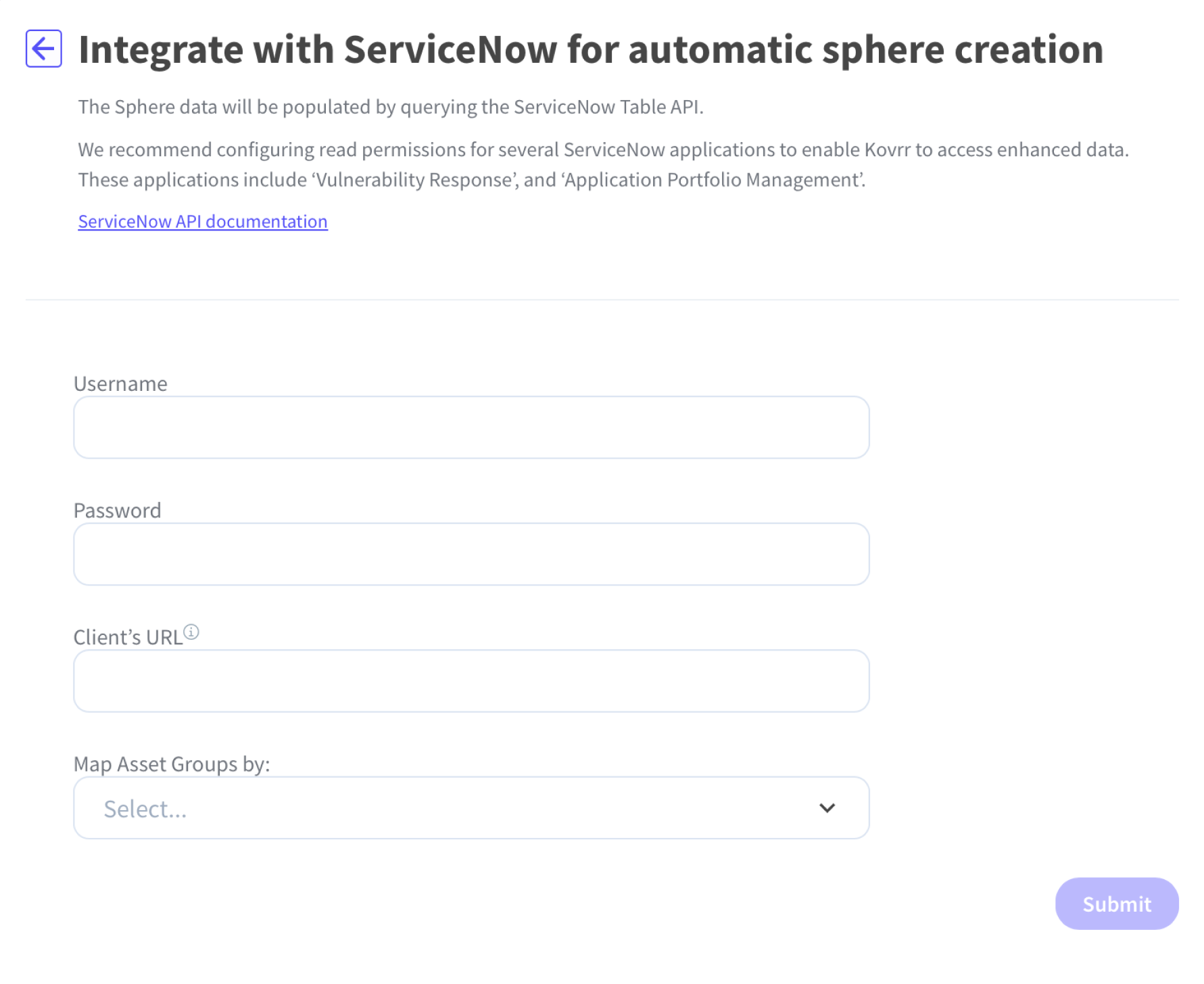
The form asks for a ServiceNow username and password for an account with the right permissions, the company's ServiceNow URL in the usual customername.service-now.com format, and the parameters used to group assets.
An Account With the Right Permissions
Kovrr's setup screen recommends read permissions for several ServiceNow applications so it can reach richer data, and it names Vulnerability Response and Application Portfolio Management. ServiceNow controls what an integration account can read through two separate layers, access control rules on records and fields, and API access policies on the endpoint. A working login therefore does not guarantee access to every table the model would like to read. Creating the account and clearing both layers falls to a ServiceNow administrator, which makes that person the first one this project needs. A dedicated account used only for this integration keeps the access narrow and easy to review.
How Should Assets Be Grouped?
Kovrr groups the collected assets into Asset Groups by similarity, and the form offers company name, location and department as the grouping parameters. The groups are mutually exclusive, so an endpoint never sits in two of them. That keeps the model from counting the same asset's risk twice in the next-year simulations. The grouping choice therefore decides how exposure is divided in the results, so the useful rule is to group by the dimension the organization gets asked questions about. Department suits business unit conversations, location suits site-level ones and company name suits legal entities.
What Happens After the Form Is Submitted?
The company's status changes to Collecting Data while the Sphere is built, then to Ready for Analysis. Kovrr recommends reviewing the detected technological profile on the Edit Company page before moving to the Sphere to start the first quantification. That review is the one step that needs someone who knows the environment, since the profile reflects what ServiceNow holds and a stale or missing record in ServiceNow shows up as a stale or missing entry in the profile. Once the profile is confirmed, the first result follows within hours, as how long it takes to implement a CRQ platform sets out.
What Should a Team Settle Before Starting?
Four things need settling, and each one needs a named owner.
- Who creates the account: a ServiceNow administrator, and which of the two permission layers apply on that instance.
- Which applications are licensed and populated: Vulnerability Response and Application Portfolio Management add data only where they are in use.
- How assets should be grouped: the department, location or company name that matches how results will be read.
- Who reviews the profile: a named person who can confirm what the detected technology profile should contain.
Most of the Work Sits in ServiceNow
On Kovrr's side the ServiceNow integration is a short form that asks for an account, a URL and a grouping choice. The effort lives in ServiceNow, where an administrator has to provision an account that clears two permission layers, and in two decisions only the organization can make, which are how assets are grouped and who reviews the detected profile. A Sphere built from clean ServiceNow records is ready for analysis and a first quantification soon after, and one built from stale records inherits the staleness. Kovrr's cyber risk quantification platform takes the profile from there.
To see how a ServiceNow profile becomes a first quantification, book a demo with our cyber risk experts.

ServiceNow Integration FAQs
Speak to an ExpertHow does Kovrr integrate with ServiceNow?

What does Kovrr need to connect to ServiceNow?
What data does the Kovrr ServiceNow integration collect?
How are assets grouped in the ServiceNow integration?
What happens after the ServiceNow integration is set up?
Who needs to be involved in a ServiceNow integration?